
Handshake
Handshake is a job board and social media site that is exclusive to college students. Every employer on this platform has specifically chosen to recruit at UCI. They know you are a student, understand that you will have to work around a class schedule, and are looking for entry-level talent. Handshake not only has job postings, but also volunteer, fellowship, and graduate school opportunities. This is also where you can register for Career Fairs at UCI.

Completing your profile
A complete profile makes you 5x more likely to be proactively messaged by a recruiter. According to Handshake, a “Complete Profile” must include at least 1 skill, 1 organization, and 1 work experience.
Setting up your profile
- Upload your resume
- Uploading your resume can save you from having to type everything out manually. Handshake will automatically pull your education and work history to fill out your profile.
- Add your specific skills, courses, and projects
- Skills: Include both technical skills (e.g., SPSS, GIS, R, Python) and non-technical skills (e.g., Crisis Intervention, Policy Analysis, Grant Writing).
- Courses: List upper-division courses relevant to the job you want.
- Projects: Add any major class projects or research papers/presentations you have done here.
- Update your career interests
- Go to your profile and “My career interests” and input the types of jobs and industries you are interested in.
- Handshake uses AI to customize your job feed based on your answers, so if you don’t fill it out, your jobs will not be as relevant.
Searching for Positions Using Filters
The “Jobs” tab can be very overwhelming, but you can use these filters to find roles specifically relevant to what you are interested in
Filters to try:
- Employment Type: You can select whether you are interested in working full-time or part-time
- Job Type: Some good options here are “Job,” “Internship,” “On Campus Student Employment,” “Volunteer,” and “Graduate School,” but there are many options!
- Work Study: If you have financial aid, you can specifically filter for work-study jobs.
- Location: Here you can list your location(s) and how far you would be willing to work from those locations
- Pay and benefits: You may choose whether you are looking for paid or unpaid positions
- Onsite/remote: You can choose whether you would like jobs that are onsite, remote, or hybrid
- If you don’t feel like those filters are cutting it, another good way to personalize the “Jobs” tab is to select the two boxes under the “Recommended for you” filter so that the jobs that come up are popular in your major and recommended for you based on your interests
Keywords for you major:
When making a search, try specific keywords to help narrow down the job opportunities.
- Criminology, Law & Society: Legal Assistant, Victim Advocate, Case Manager, Court Intern, Youth Mentor, etc.
- Urban Studies & Environmental Science and Policy: Sustainability Intern, City Planning, GIS Technician, Community Outreach, Policy Analyst, etc.
- Psychology: Behavior Technician, Research Assistant, Mental Health Aide, HR Intern, etc.
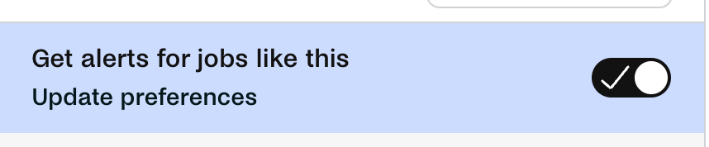
Once you have all of your preferences set, you can toggle the button at the top to get updates with future jobs that fit your search criteria!
Applying for Jobs
When you view a job, check the application method:
- Quick Apply: You can apply directly through Handshake using your resume and any additional materials (usually a cover letter and/or transcript)
- External Apply: For these positions, you will be directed to the company’s own website. You must complete the application on their site to be considered